ChatGPT Images doesn’t roll off the tongue like Nano Banana, but OpenAI finally has an answer for Google’s uber-popular AI image editor. The company’s “new flagship image generation model” is available now in ChatGPT Images and in the API under the model name GPT Image 1.5.
OpenAI has been on a tear recently, in fact. The company, which was rumored to be in a “code red” state following the launch of Google Gemini 3, launched GPT-5.2 last week. Today, OpenAI continues its counterattack against Google’s newfound momentum in the AI space with a rather large update to ChatGPT Images, promising to generate better images, edit images more effectively, and do so more quickly.
“Whether you’re creating something from scratch or editing a photo, you’ll get the output you’re picturing,” OpenAI says in its announcement post. “It makes precise edits while keeping details intact, and generates images up to 4x faster.”
In addition to the update, which does not appear to have a catchy name like Google’s Nano Banana, OpenAI also launched a new Images tab within the ChatGPT app and browser. In addition to being a dedicated space to create images, the new ChatGPT Images also acts as a sort of discovery and brainstorming feed to give you ideas of what to create. OpenAI says that the new feature is “designed to make image generation delightful — to spark inspiration and make creative exploration effortless.”
For general performance, the latest update seems like a refinement rather than something totally new. OpenAI says the new ChatGPT Image model will be more reliable, adhere better to user intent, and keep details more consistent across multiple outputs. That last bit has been a bit of a meme in the AI user community, and many have tried the 100x ChatGPT image trend to see what they come up with.
OpenAI’s announcement post includes the full list of updates with GPT Image 1.5, plus some impressive examples of the new image model at work.
ChatGPT Images vs. Nano Banana
Nano Banana is the nickname for Gemini 2.5 Flash Image, Google’s AI image generator. The tool has proven remarkably capable as a fast and easy-to-use AI image editor, and as its popularity has grown, Google has integrated it into Gemini, Google Photos, Search, and Messages. So, how does the new ChatGPT Images compare?
It took all of about 10 minutes, but GPT-Image-1.5 immediately took first place on LMArena’s Text-to-Image leaderboard, bumping Nano Banana Pro to second place. However, real-world examples so far have been a little mixed.
I asked both Nano Banana and the new ChatGPT Images to edit the same photo, and received very similar results.
Using the same prompt and image, I asked both models to edit a photo of my car from nighttime to daytime.
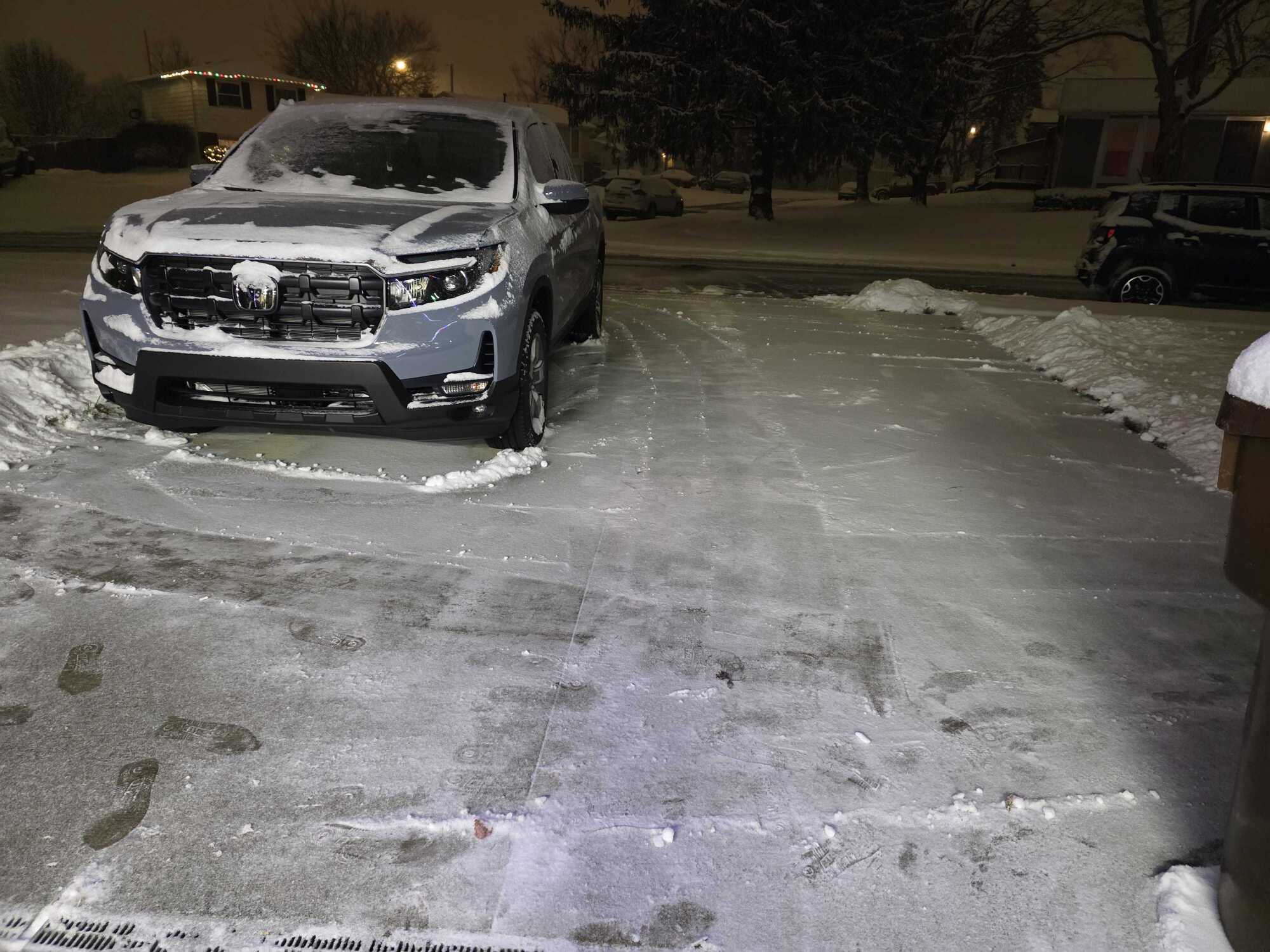
Credit: Joe Hindy
While both models earn a passing grade, Google’s version looks better to my eye.
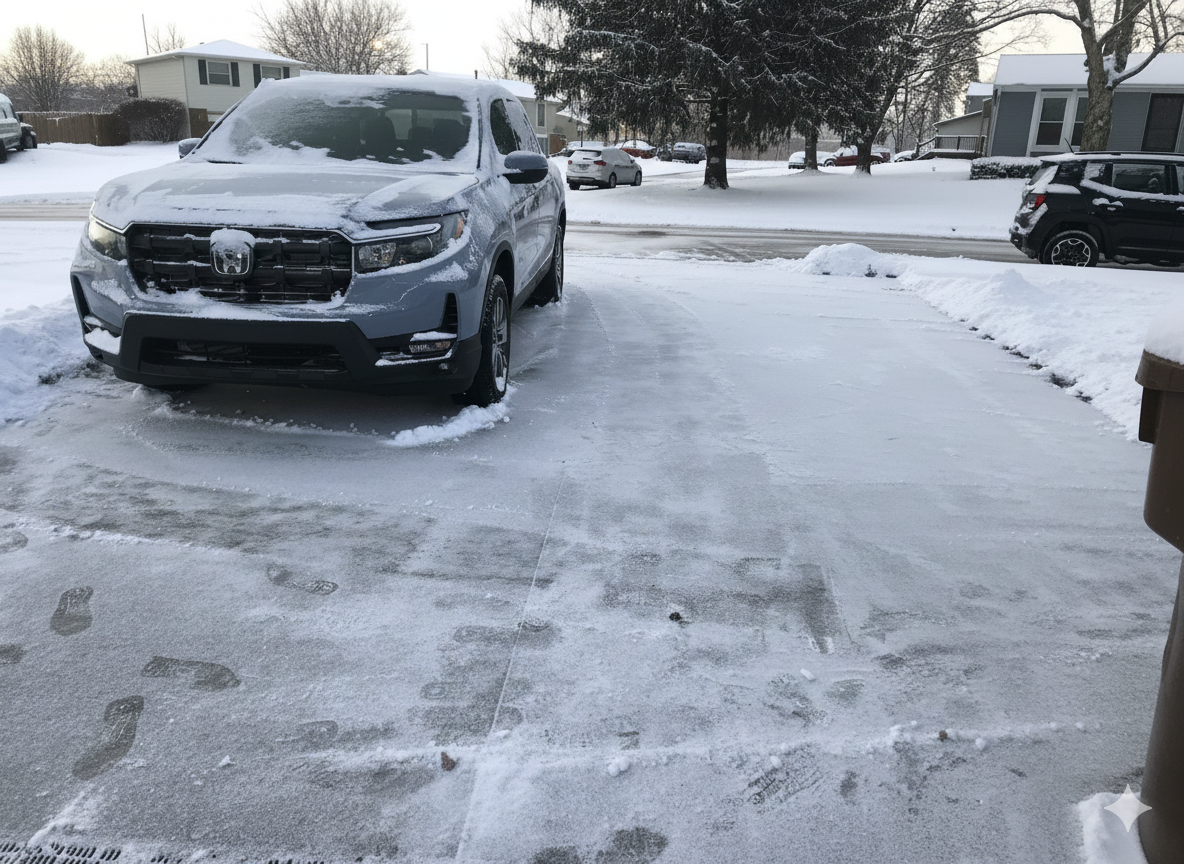
The result from Nano Banana.
Credit: Joe Hindy / Google Gemini
The result from ChatGPT Images.
Credit: Joe Hindy / OpenAI
How to try the new ChatGPT Images
Per OpenAI, the update is rolling out as we speak to all users, so it should be available to try immediately. In short, all you need to do is head to ChatGPT and look for the new Images tab. You can find the tool at chatgpt.com/images. As per usual, free users will have very limited access.
The new image model is also available in the OpenAI API, and you can check the pricing on the OpenAI website. So, developers and people with their own AI tools can start using it right away.
Disclosure: Ziff Davis, Mashable’s parent company, in April filed a lawsuit against OpenAI, alleging it infringed Ziff Davis copyrights in training and operating its AI systems.