As AI creeps into nearly every realm of our world, it feels like you need to be in investigation mode all the time to sniff it out. The tension between the literary world and AI is especially present these days. ChatGPT is now a tool for creation, with writers being encouraged to use the large language model to write stories — but consumers aren’t asking for it. In fact, they’re asking how to avoid. Libby users have been especially keen to spot the presence of AI, which has infiltrated audiobooks in a big way.
As pointed out by user @ems.book.shelf_ on TikTok, AI audiobooks have arrived on Libby, the app that connects public library card holders with their library’s e-book and audiobook collections.
This isn’t the first instance of AI and Libby crossing over. On Nov. 20, 2025, Libby posted an article launching its ‘Inspire Me‘ feature, which uses large-language-model generative artificial intelligence to recommend and suggest books to users.
The ‘Inspire Me’ feature is easy enough to avoid, but an underlying issue on Libby is the presence of audiobooks that are narrated by AI. For dedicated audiobook listeners, losing the human touch of a real person’s narration is devastating. So if you want to steer clear of AI, here’s how to spot AI audiobooks in Libby.
How to spot AI audiobooks and Libby
After sharing the news that AI content is available on Libby, TikToker @ems.book.shelf_ also shared how to spot it within Libby. Which AI audiobooks are available will vary from library to library, so rather than provide an extensive list of AI audiobooks, you’ll need to do some searching.
- 5 min
- Libby app
Step 1:
Search for AI voices
In the Libby app, go to the search bar and look at two specific terms: Digital Voice and Synthesized Voice. This will display all the titles that feature AI voice narration, which is commonly referred to as either a digital or synthesized voice.
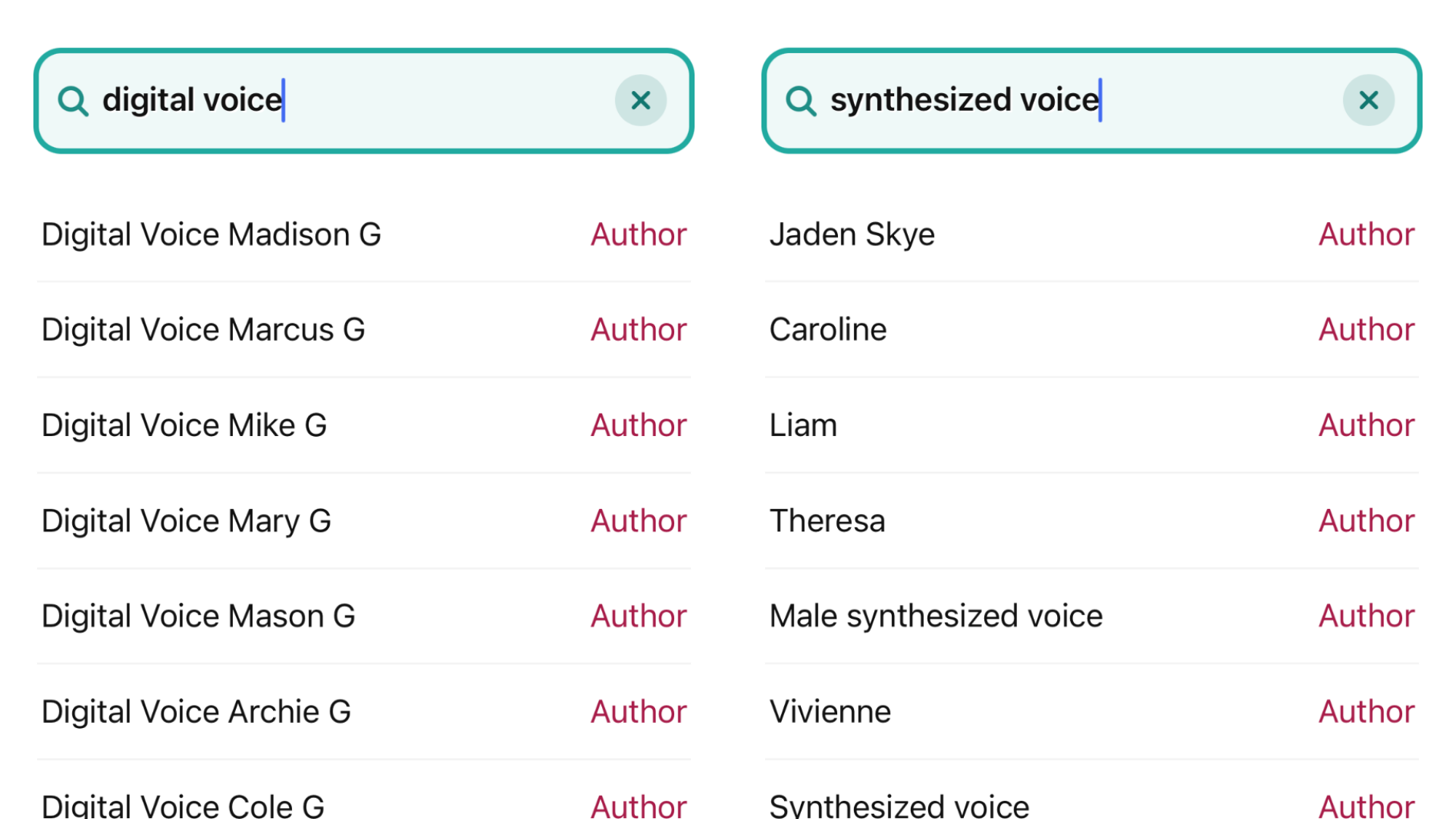
Credit: Samantha Mangino / Mashable
Step 2:
Browse through results
Once you’ve searched, click into individual book listings. In each book’s details, the narrator will be listed. Any books that use AI will have the narrator listed as either a ‘synthesized voice’ or ‘digital voice.’ If you’re looking to avoid AI, don’t borrow these books.
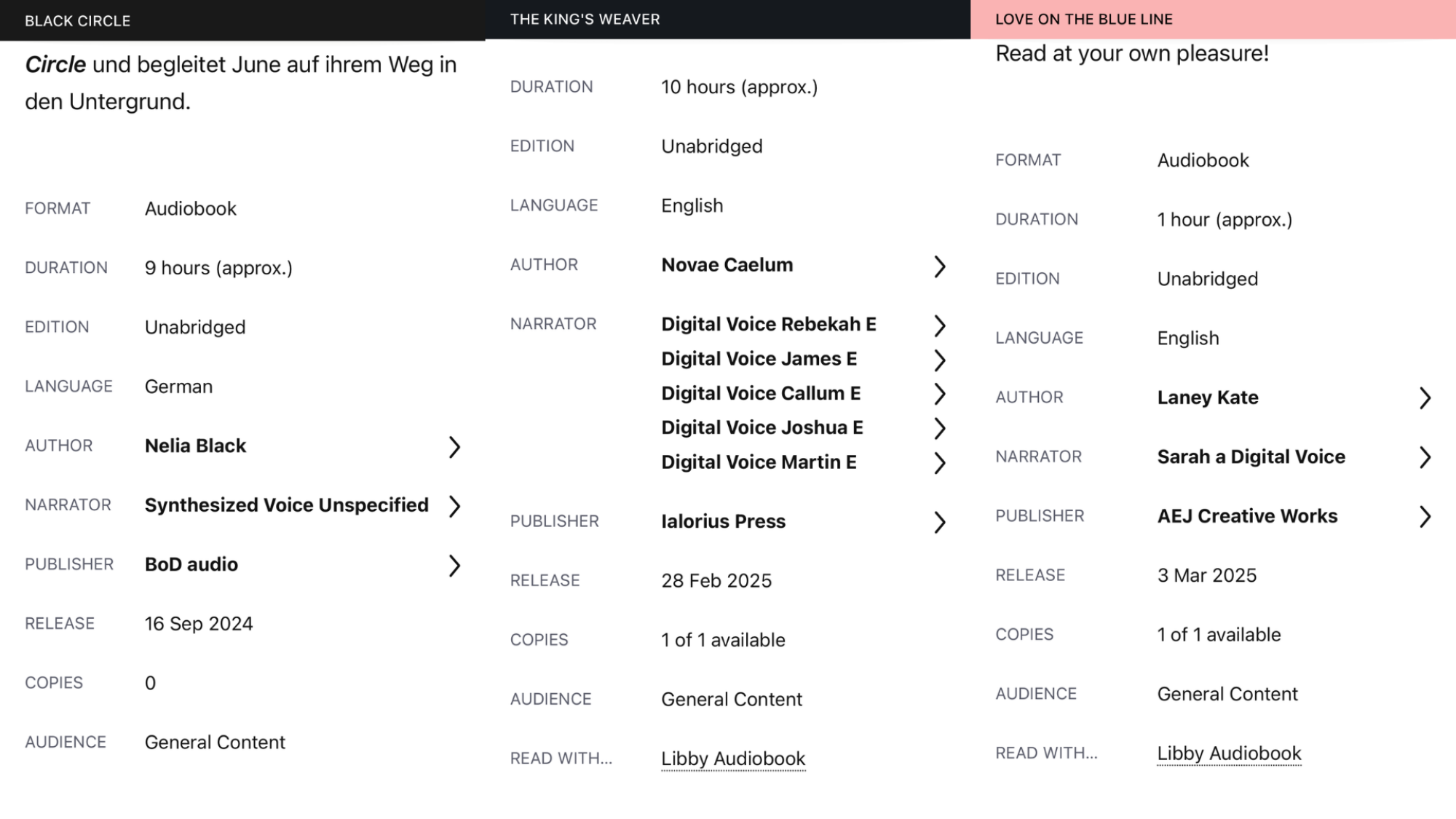
Credit: Samantha Mangino / Mashable